
Online Learning Experience for Offline Communities
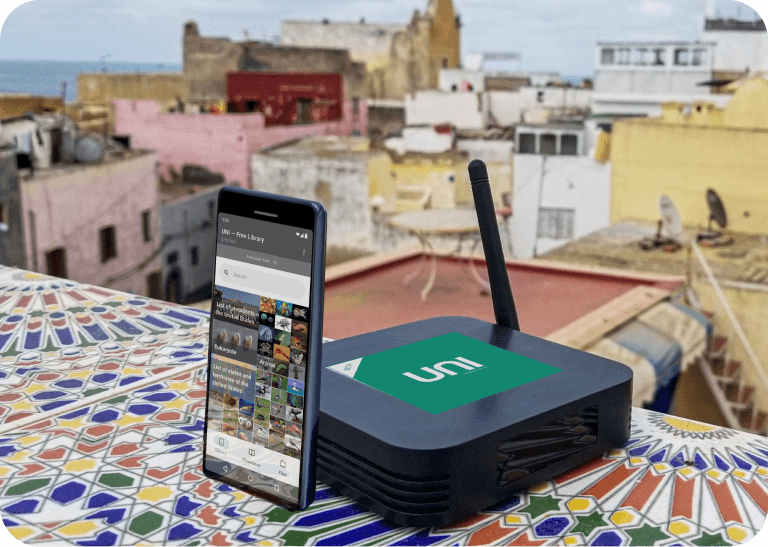
We tackled the digital divide in remote communities with Grey-box, a mobile hotspot pre-loaded with learning resources (think Wikipedia, Khan Academy) and enabling USB sharing for local content.
Client
Grey-box
Role
Lead Designer
User Tester
Researcher
Length
6 weeks
Website
grey-box
.ca
I wore several hats throughout this challenge, beginning with user research. I analyzed the unstructured, qualitative interviews provided by UNI and incorporated team insights to define a user persona and journey map for the platform.
Additionally, I dissected the current UNI app, its partner Kiwix, and a couple file management and educational software such as Google Drive and Coursera.
I led the design team through all iterations and conducted user tests alongside a teammate.
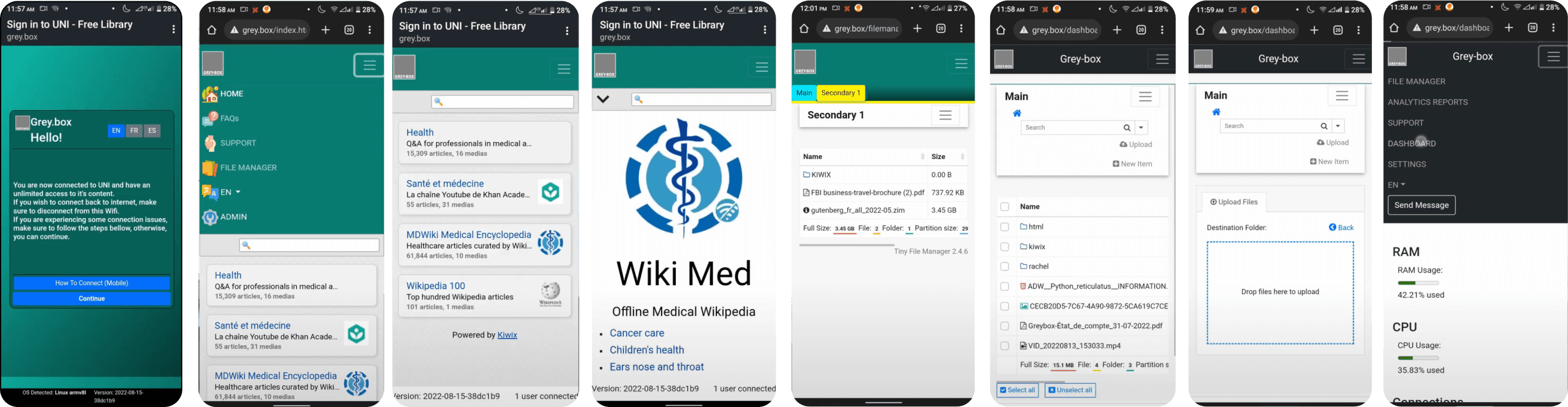
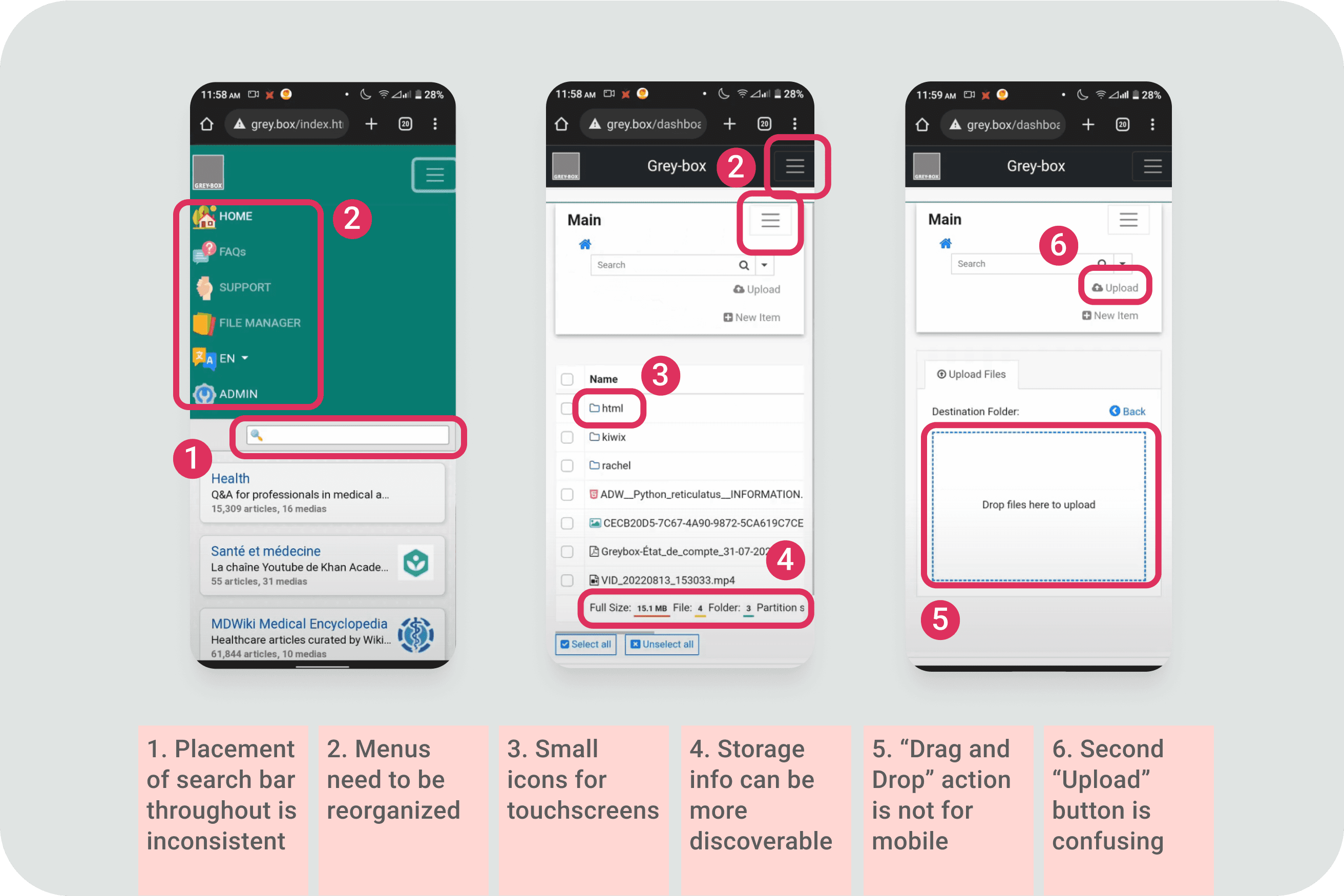
Since our target users are remote educators and students with limited digital literacy and minimal IT support, prioritizing learnability is crucial. For this reason, I recommend using the Google Material Design system. This framework offers a familiar interface for users in remote areas who primarily rely on Android phones and native apps, which improves their learnability.
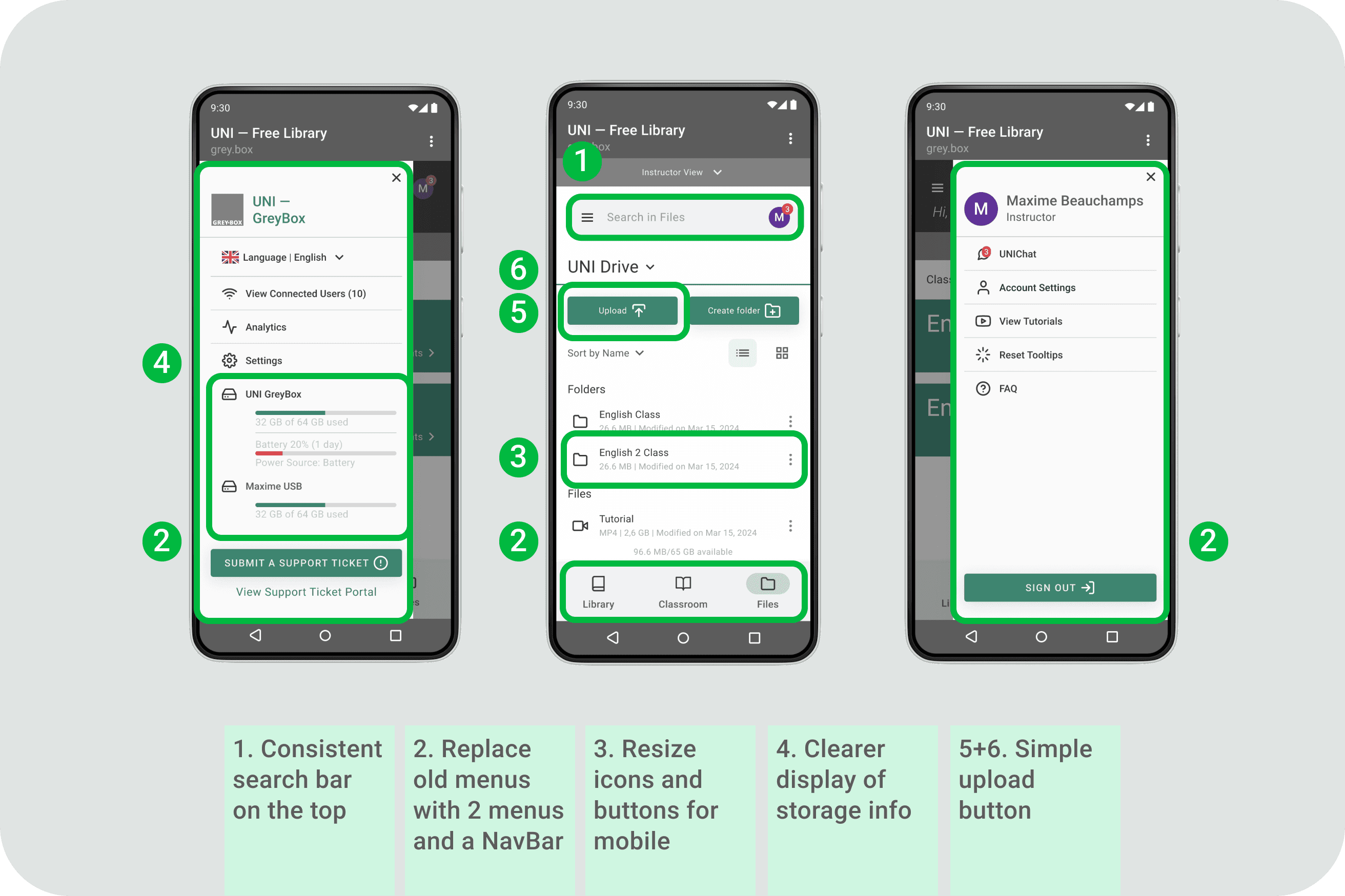

A. Improve file and access management
Streamlining Teacher Workflow
❌ Our initial assumption for UNI was that teachers would upload files directly to the device and then share that content with the class.
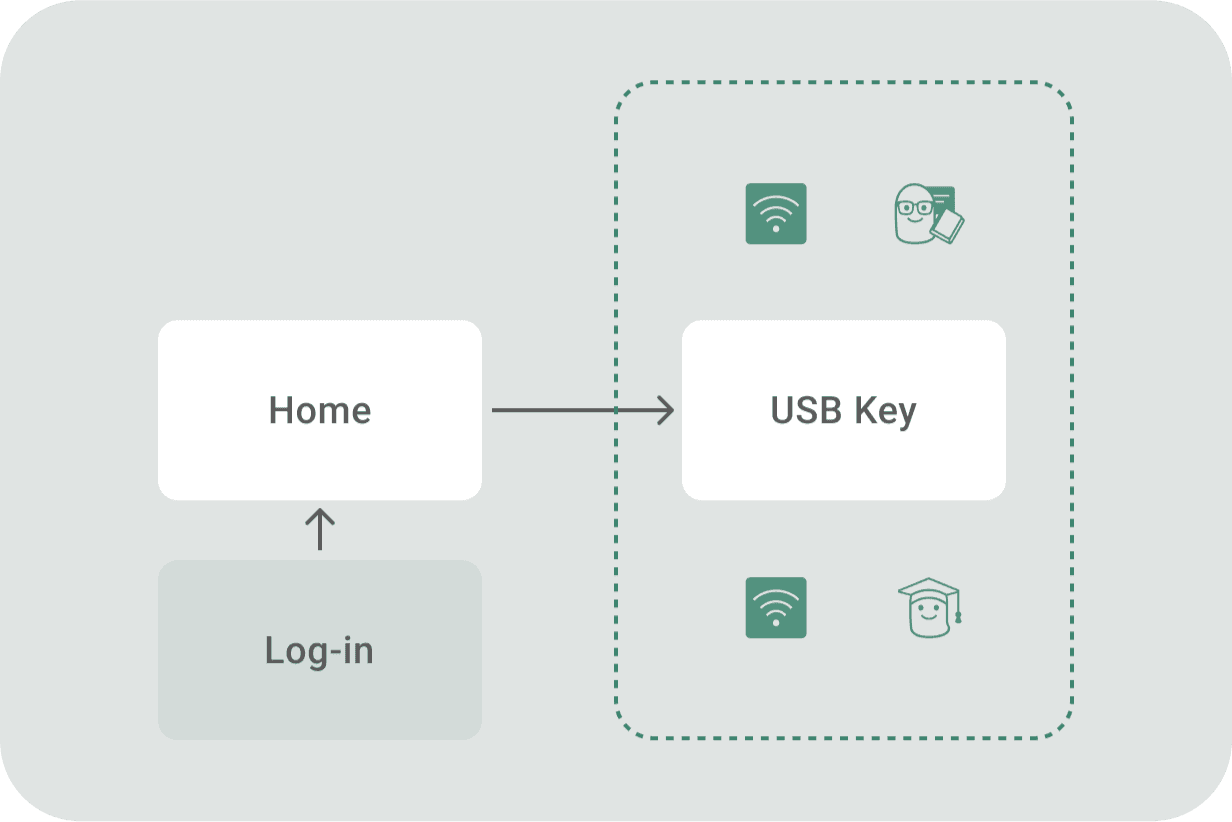
✅ However, user interviews and journey mapping revealed a different workflow – the Golden Path. Teachers actually prefer to prepare their class materials on their personal devices at home. Then, they bring those materials to the classroom and share them directly from a USB drive to connected to devices (of the students) via hotspots.
Following is the prototype of the first main flow, accessing USB contents for students and teachers.
Tackling access and permission
Based on the Golden Path, teachers can hide specific files for access management, while everything else on the UNI Device and connected USB is automatically shared with all students. This eliminates the need for complex permissions on individual student's account levels.
Also, a handy toggle is added to let teachers switch between their view and the student view, so they can check what content is currently shared with the class.
B. Homepage redesign
Focus on learning
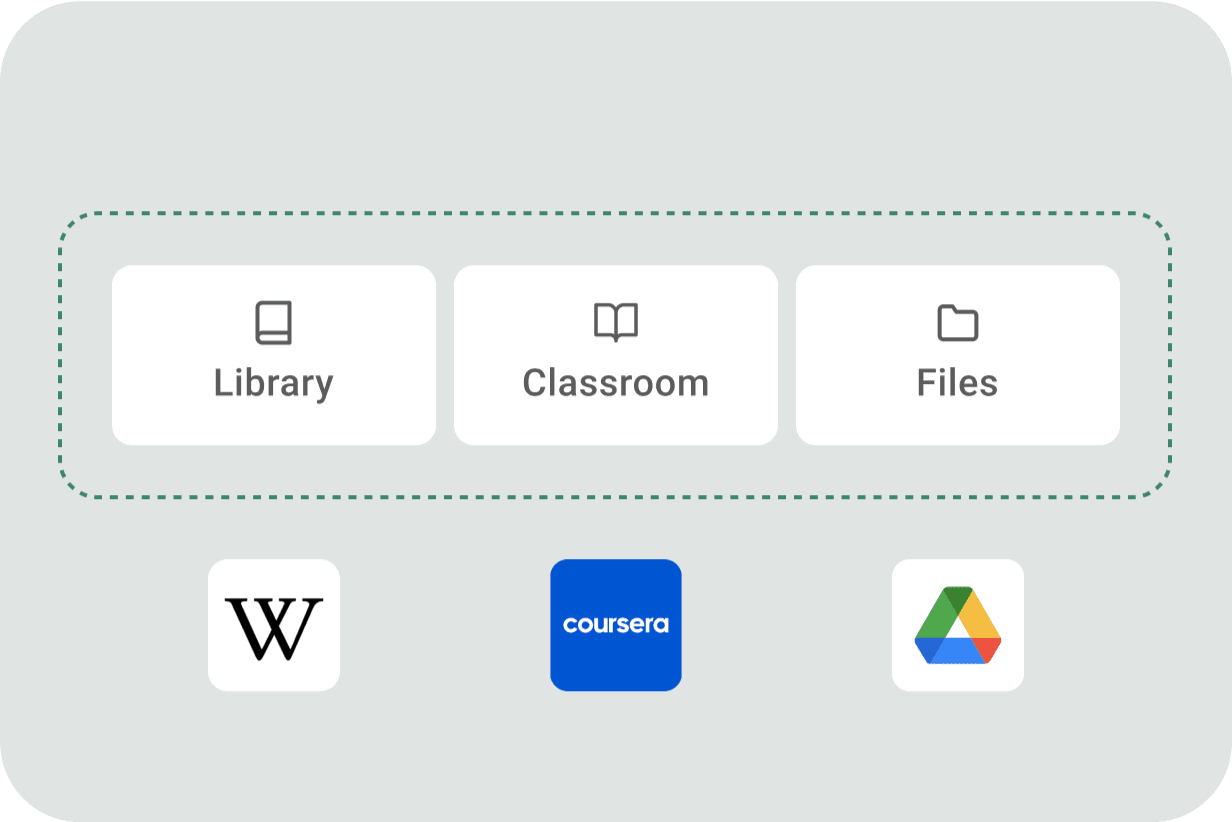
️🛑️ Most students and teachers experience UNI in class. As a classroom solution, UNI needed essential classroom tools, such as announcements, agendas, attachments, etc., which were missing from the original app. Market research on 11 competitors and partners revealed the market gap—no single app offered both file/library content management and classroom features.
✅ We addressed this gap by adding these functionalities in the navigation bar. Also, the app opens directly to the “Classroom" screen instead of a homepage, prioritizing the most frequent in-class tasks.
The second main flow will be customizing classrooms by adding a bookmark link.
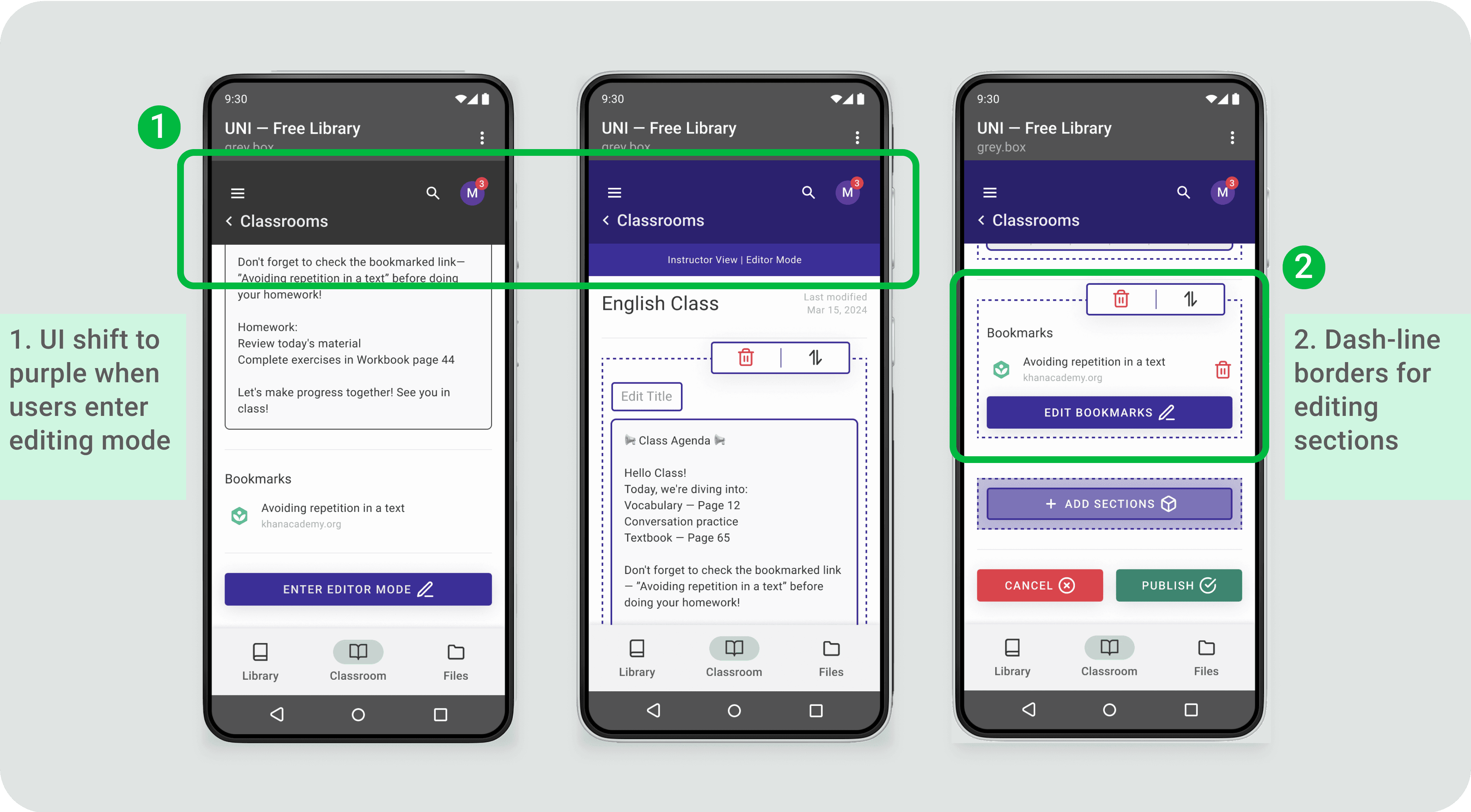
Bookmark flow
✅ A/B testing favored a toggle system for bookmarking in Classrooms (see prototype). Though it requires users to first add and organize bookmarks in the library, this concept is faster to adopt than copying links.
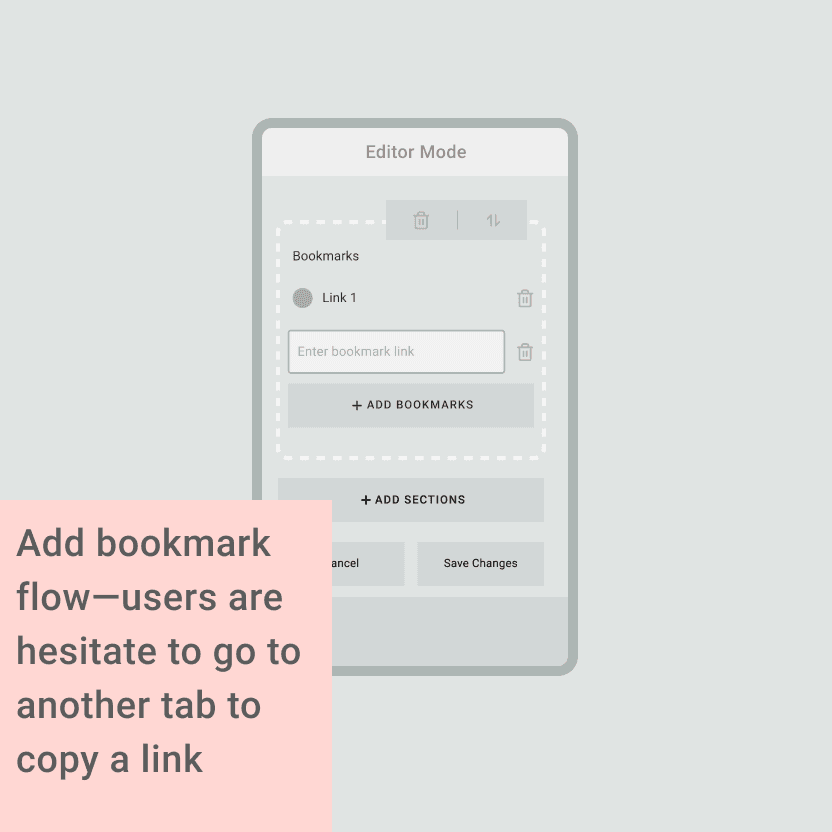
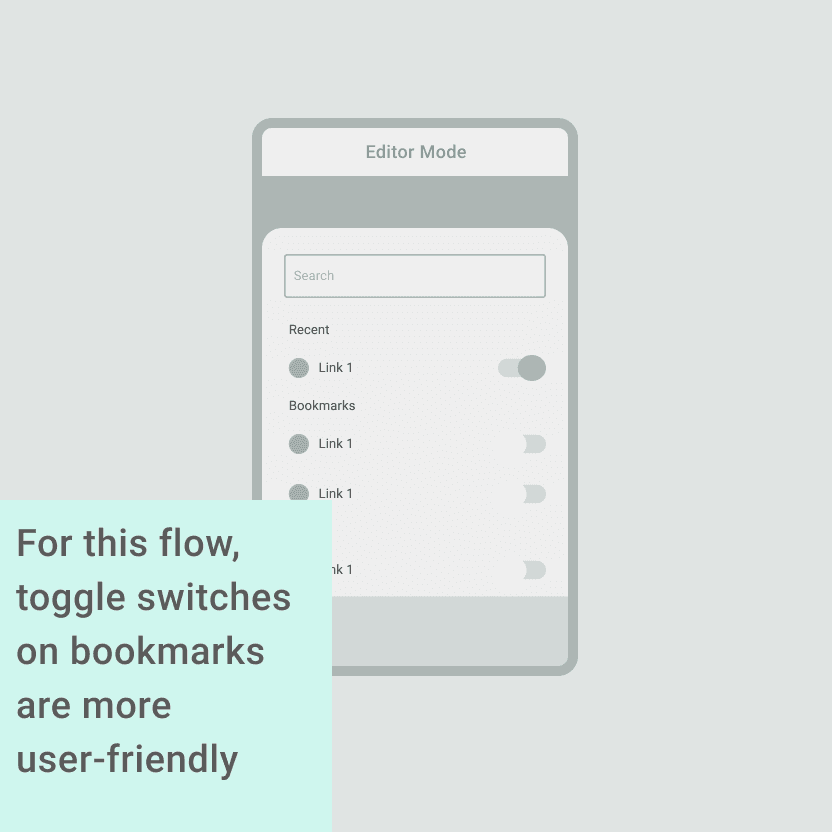
Task 2: Add the “Canada” wiki page to the bookmark and add that bookmark to the English Class
After identifying the two main flows, it is time to step back and examine how everything fits into the big picture.
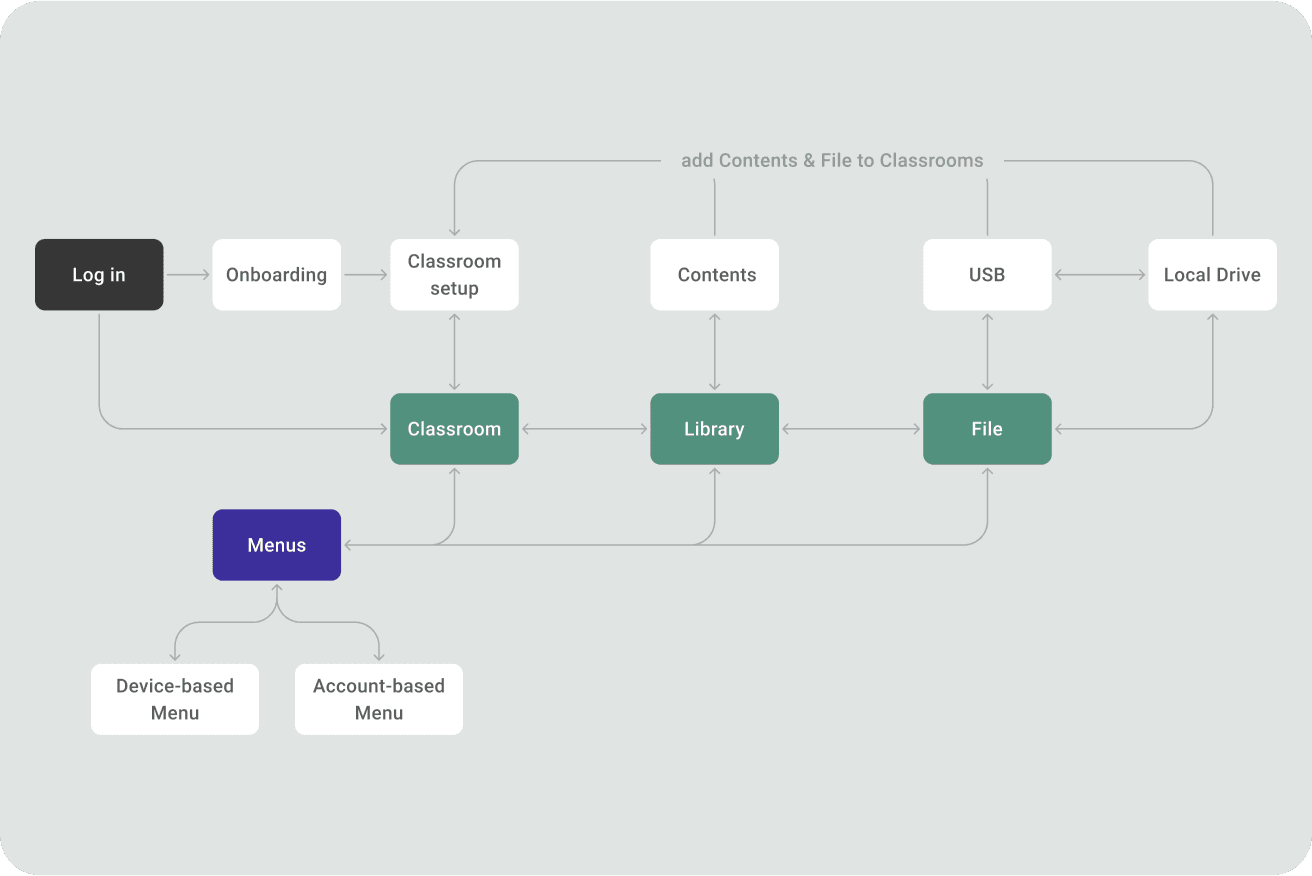
User-research-driven design: The initial assumptions were wrong. Teachers prefer USB drives (Golden Path), which reshaped the UX.
Learnability for limited digital literacy users: prioritizing a familiar interface (Google Material Design) and simplified features (e.g., hiding files) for better usability.
Filling a market gap: Our competitors lacked apps that combined file management with classroom tools (announcements, agendas). We focused on these features to streamline the learning experience.
Leveraging existing tech: Kiwix, powering UNI's offline content, also has a library function. Analyzing its flow helped design a more straightforward library for the compact UNI Greybox app.
Next Projects
From Chaos to Calm: Family Management with FutureMoney
This case study explores the design process behind FutureMoney's innovative "Vault," where we were tasked with creating a new file management experience for securely storing family documents.